MCP Apps: Revolutionizing AI Interactions

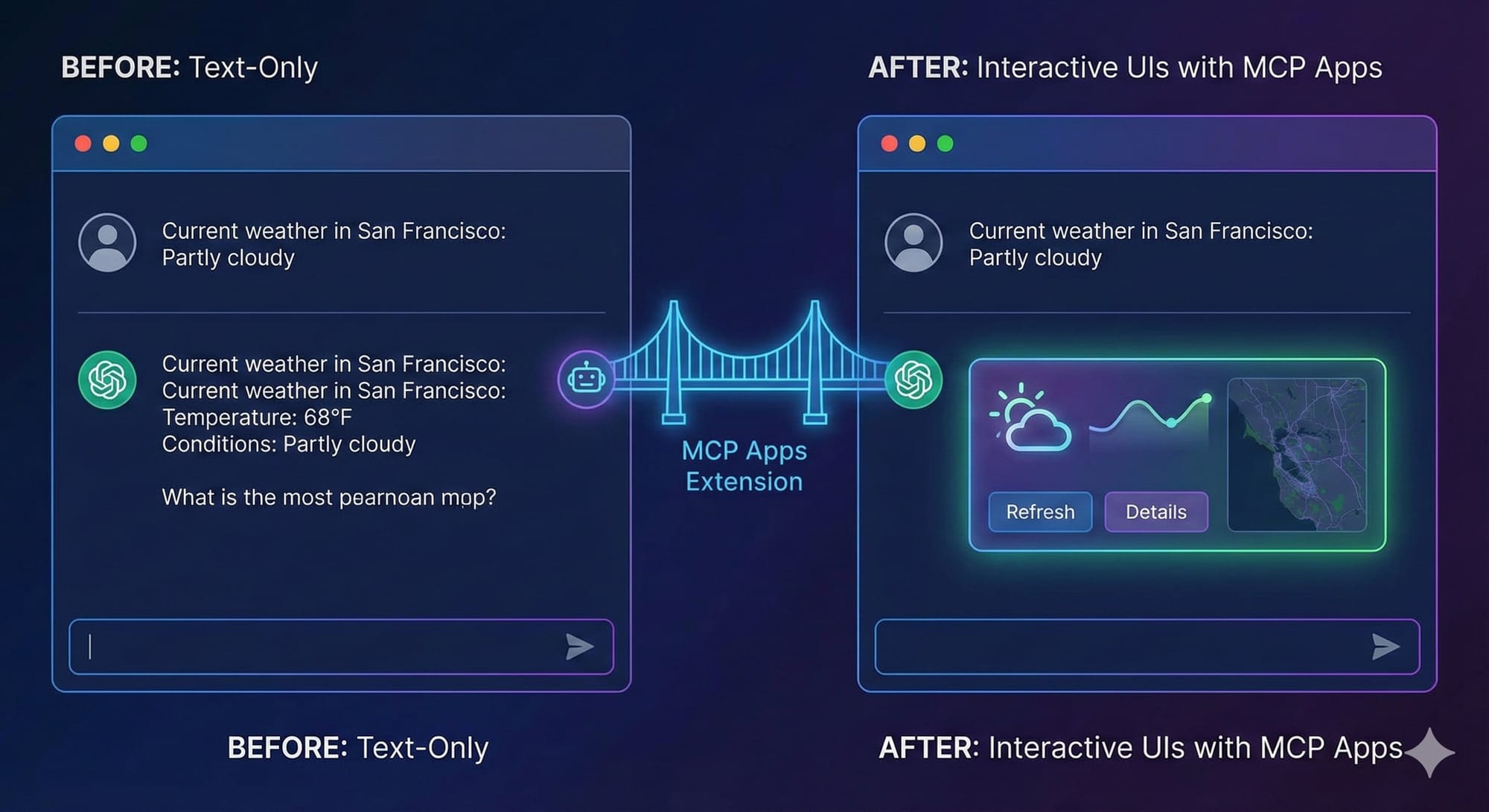
MCP Apps, the newly released extension to Anthropic's Model Context Protocol (MCP), is a game-changer for how we interact with AI. Announced as officially live on January 26, 2026, it lets tools deliver rich, interactive user interfaces directly inside AI chat windows like Claude.ai—instead of plain text or JSON outputs.
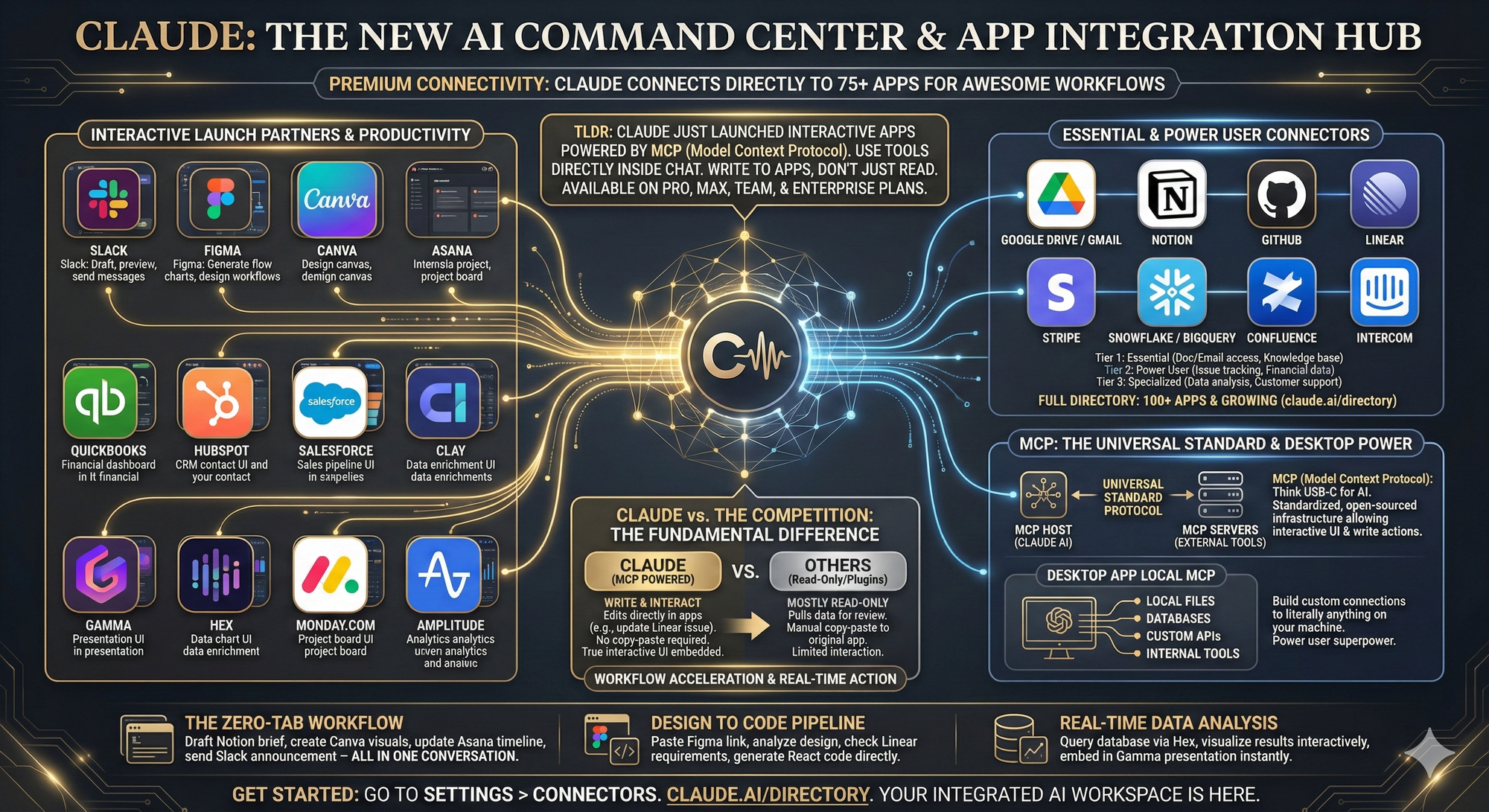
If you've ever been frustrated by an AI spitting out a wall of data you then have to copy-paste into another app to visualize or edit, this solves that pain point beautifully. Let's break it down, explain how it works, and look at some practical use cases.
Quick Recap: What is MCP?
Anthropic introduced the Model Context Protocol (MCP) in November 2024 as an open standard. It connects AI models (Claude, and soon others) to external data sources, tools, repositories, business apps, and dev environments via a secure client-server architecture using JSON-RPC.
MCP servers expose "primitives" like tools, resources, and prompts. Clients (like Claude Desktop or IDE integrations) discover and call them uniformly. This eliminates the need for custom integrations per tool or per AI vendor. Thousands of MCP servers already exist, with SDKs in Python, TypeScript, and more. It's designed for security, two-way communication, and scalability—think secure access to your files, databases, or SaaS tools without exposing credentials directly to the model.
Enter MCP Apps: Interactive UIs in Chat
MCP Apps is the first official extension (SEP-1865), building on community efforts like the MCP-UI project and OpenAI's Apps SDK (with collaboration from OpenAI, Block, VS Code, JetBrains, AWS, and others). It standardizes how MCP servers can ship interactive HTML/JavaScript UIs alongside tool outputs.
Here's the flow:
- An MCP server registers a tool and associates it with a UI resource via metadata (e.g.,
_meta.ui.resourceUri: "ui://dashboard/interactive"). - The UI is a bundled HTML/JS file (often a single-file app built with Vite or similar) served from the server under the
ui://scheme. - When the AI calls the tool, the host (Claude, VS Code Insiders, Goose, etc.) fetches the resource, renders it in a sandboxed iframe, and injects initial data/results.
- Bidirectional communication happens via JSON-RPC over
postMessage. The UI can:- React to user interactions (buttons, filters, forms).
- Call back to the server for more data/tools.
- Update the AI's context (e.g., "User approved this draft").
- Open links, log events, or push messages.
- Developers use the
@modelcontextprotocol/ext-appsnpm package'sAppclass to handle connection, events (ontoolresult), tool calls (callServerTool), and context updates.
Security is front-and-center: sandboxed iframes with strict permissions, pre-declared templates (hosts review HTML), auditable messages, CSP support, and optional user consent for sensitive actions. No DOM access, cookies, or navigation escapes.
Supported today: Claude.ai (Pro/Max/Team/Enterprise), VS Code Insiders, Goose, with ChatGPT rolling out soon. More IDEs and hosts are coming.
Real-World Use Case Examples
MCP Apps shines for workflows that need visual exploration, direct manipulation, or complex input—far beyond text summaries.
Workplace Productivity in Claude (launched integrations):
- Slack (Salesforce): Search conversations, generate formatted message drafts, preview/send directly in-chat. No more copy-pasting into the Slack app.
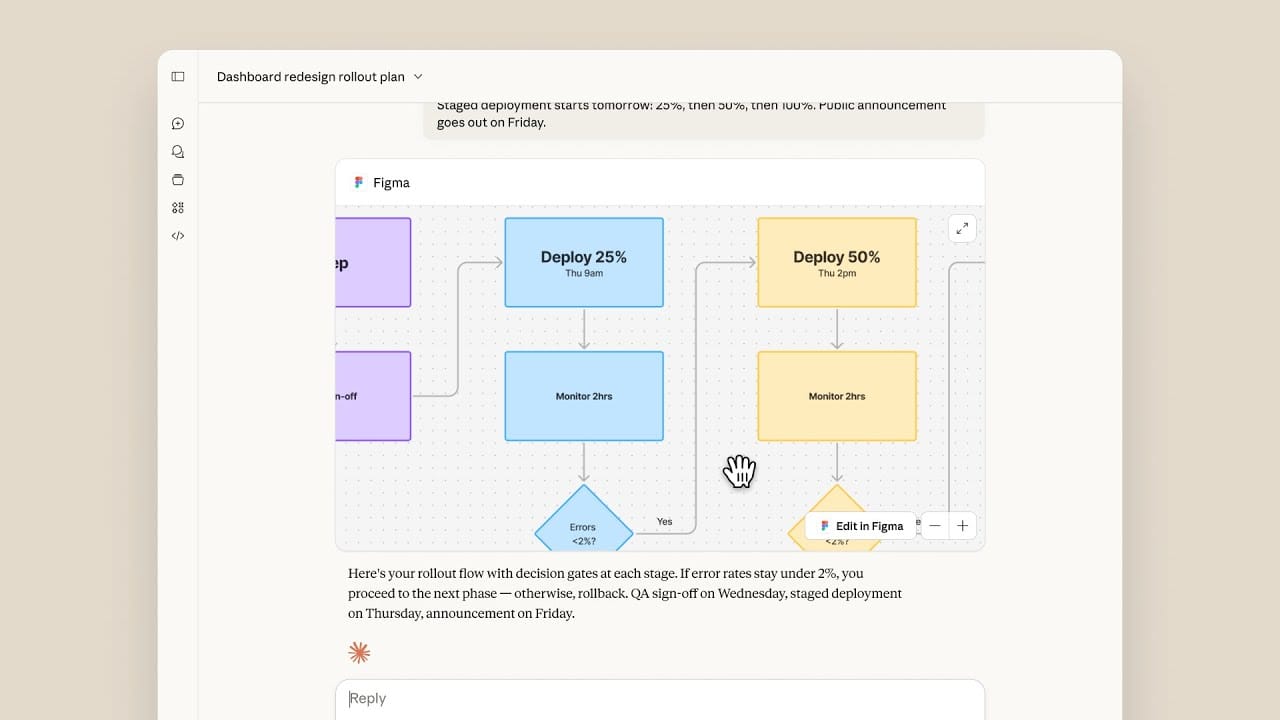
- Figma: Generate/edit diagrams or FigJam boards inline; manipulate flows, add elements, and see live updates while chatting with Claude.
- Asana: Turn chat discussions into projects/tasks/timelines. Drag/drop, assign, visualize boards or Gantt-style timelines interactively.
- Canva: Customize presentations/decks in real-time—edit designs, add elements, preview.
- Box: Browse/search files, preview documents/PDFs inline with highlights or annotations, ask questions about content, extract insights.
- Others: monday.com (project boards), Hex/Amplitude (interactive analytics dashboards with filtering/drill-down), Clay (data enrichment UIs). Salesforce tools like Agentforce coming soon.
General/Dev Examples (from the ext-apps repo and docs):
- Interactive Dashboards: Sales analytics—filter by region/quarter, drill into details, sort/export charts. The model stays in the loop for follow-up questions.
- Configuration Wizards/Forms: Multi-step setup with dependent fields (e.g., select "production" → reveal security options).
- Document Review: Load a contract PDF, highlight clauses, approve/flag sections interactively.
- Real-Time Monitoring: Live server metrics graphs that update without re-querying.
- Fun/Visual: 3D Three.js visualizations, interactive maps, sheet music notation viewers, PDF annotators.
In VS Code, imagine calling a code-analysis tool that pops an interactive dependency graph or diff viewer right in the editor chat. In an agent workflow, the UI handles human-in-the-loop decisions seamlessly.
For Developers: Getting Started
- Build/extend an MCP server (use existing SDKs).
- Register tools with
_meta.ui.resourceUri. - Serve UI resources (single HTML bundle recommended).
- In your UI code: Import
App, connect, handle events, call tools as needed.
Examples and quickstarts are in the ext-apps GitHub repo. Migration from MCP-UI or OpenAI Apps SDK is straightforward. Test with Claude connectors or the basic host example.
The Bigger Picture
MCP Apps inverts the usual "embed AI in your app" model: it makes apps pluggable components inside the AI/agent experience. This reduces tab-switching, makes agents more usable for complex tasks, and fosters an interoperable ecosystem across vendors (Claude, ChatGPT, IDEs, etc.).
It feels like a step toward an "AI operating system" where the chat becomes a unified command center for your digital life/work. Challenges remain (vetting servers, performance with heavy UIs, broad adoption), but the open, collaborative approach (Anthropic leading but partnering widely) is promising.
What do you think—will this change how you use AI daily? Have you tried building an MCP server yet? Drop thoughts below (or in Claude!). Check the official MCP site, MCP Apps docs, and Claude's connector directory to get started.
Excited to see what the community builds next—interactive games, calendars, checkout flows? The possibilities are wide open. 🚀
